
PaySorted Studios for yoga, Pilates and fitness
Your timetable, memberships and passes, sorted
Members book your classes online and pay for drop-ins, class passes and monthly memberships. Full classes get a waiting list, and you take the register on your phone.
30 days free · no card needed · then from £8.99 a month · no commission

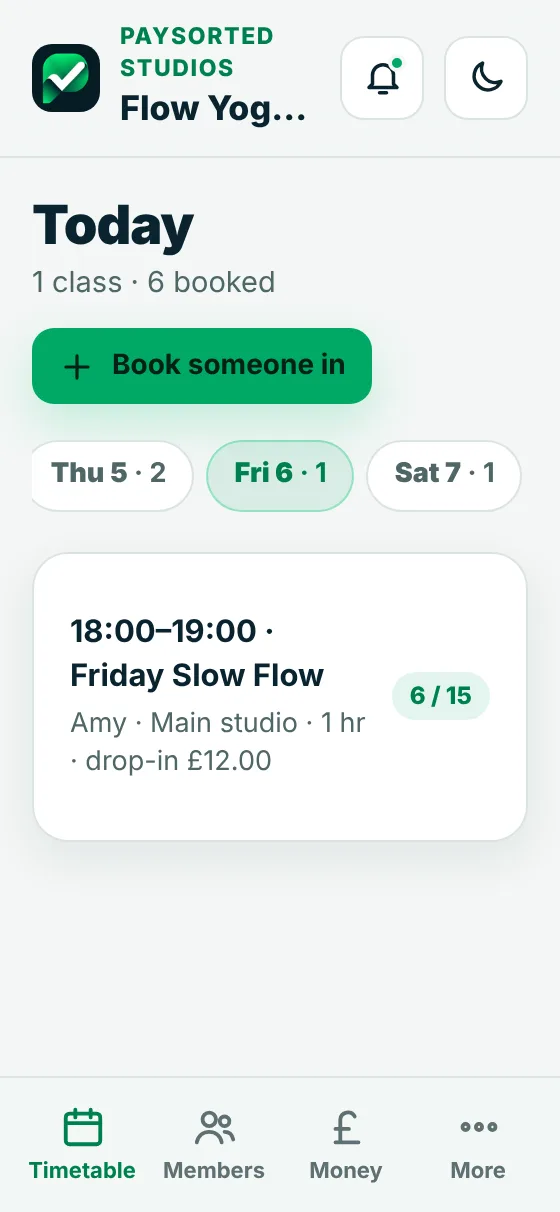
Real screens from the app
Classes booked, registers taken, money in
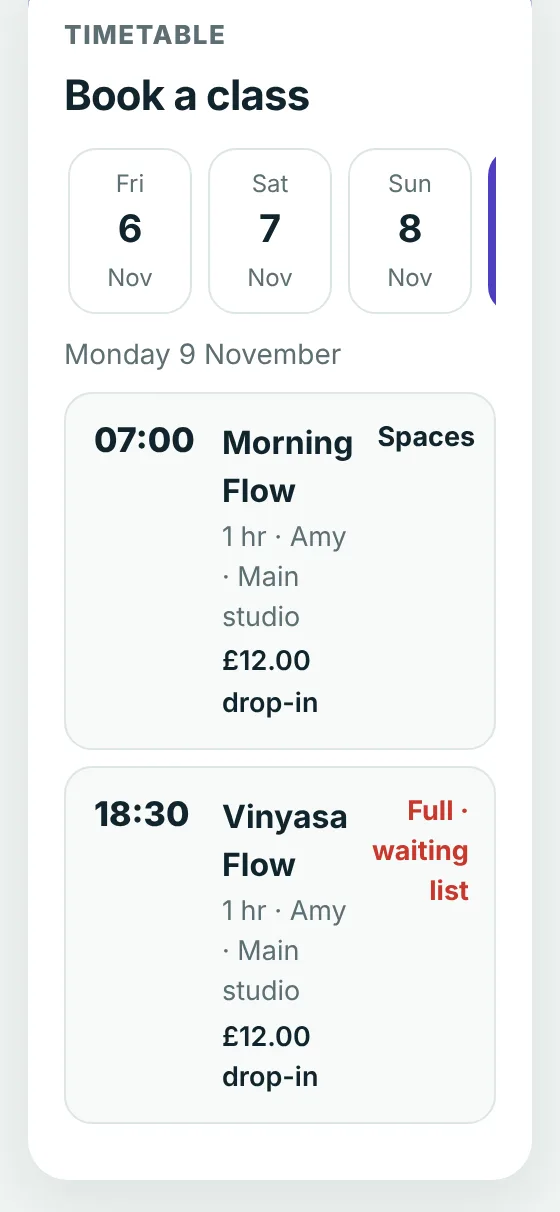
Online booking
Members book from your timetable
Share one link on your website, Instagram and Google profile. People see the classes for the next couple of weeks, with spaces left, and book a place.
- Drop-ins paid by card when they book
- Memberships and passes used up automatically
- Each member gets their own link to book and cancel
- Your terms ticked before their first class
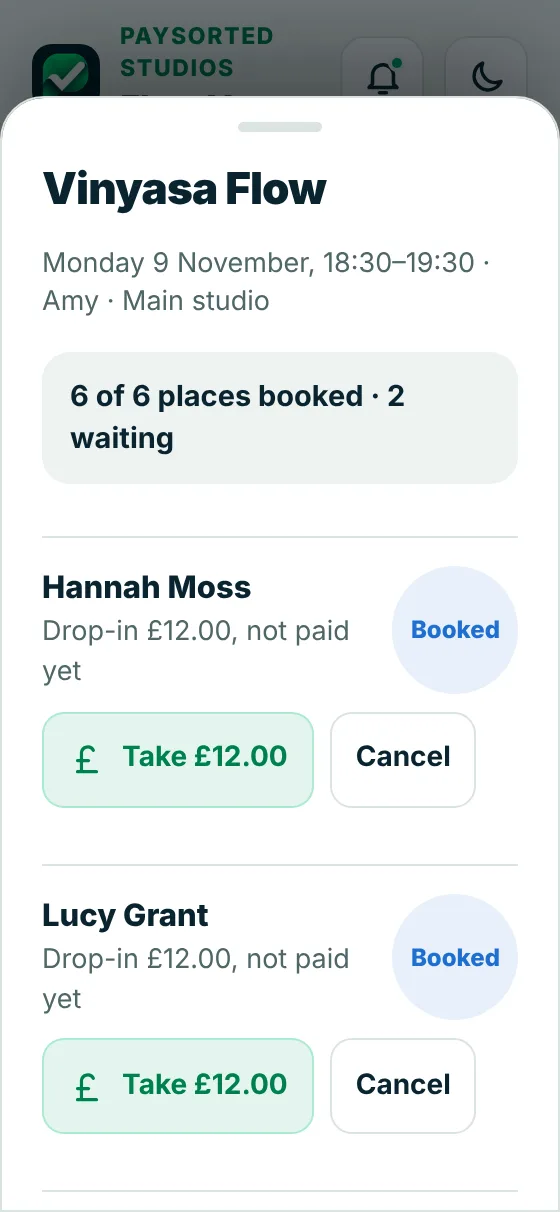
Registers and waiting lists
Full classes fill themselves
When a class is full, people join the waiting list. If someone cancels, the first person waiting is booked in and emailed. At the class, tap who's here.
- Places booked and waiting at a glance
- Mark here or no show, or everyone at once
- Take a drop-in payment at the door
- Call off a class and everyone booked is told
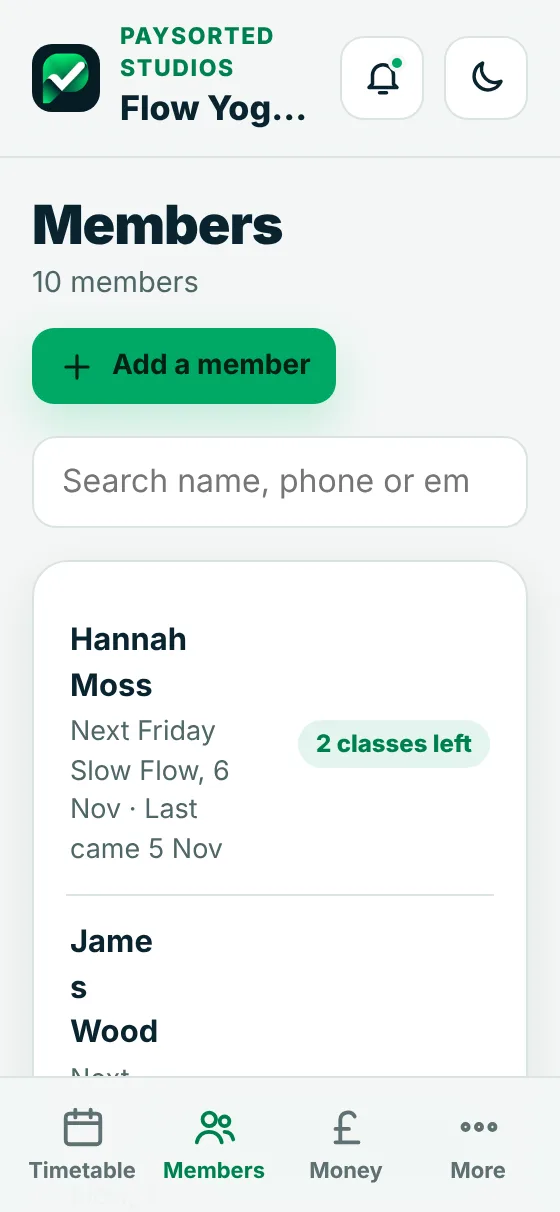
Members
Memberships, passes and drop-ins
Every member has a record with their membership or pass, classes left, when they last came, health notes and an emergency contact.
- Monthly memberships billed each month
- Class passes with a use-by date
- Sell a pass for cash or card in the studio
- See who hasn't been for a while
Set up in an evening
Your timetable, your rules
Add each class once with its day, time, length, places, price and instructor. Start and end dates for courses, and days the studio is closed.
Choose how many hours before a class people can cancel for free. Later than that, the class still counts against their pass or allowance.
On Club and Business, instructors log in to see the timetable and take the register. Money stays with you.
Your brand, not ours
Your customers see your business, not PaySorted
When you first log in, add your logo and pick your colour. Or skip it and do it later in a minute. From then on everything wears your brand.
- Quotes, invoices, receipts and the payment page show your logo, your colour and your business name
- Your booking page, where members book classes and buy passes and memberships, shows your logo and colour
- Emails and reminders come from your business name, and replies go straight to you
- Inside the app too: your logo at the top and your colour on the buttons, for you and anyone who works for you
The only mention of us is a small "Sent with PaySorted" line at the bottom of invoices and emails.
Works with your accounts
Your accounts software stays up to date by itself
Connect once in Settings. New invoices, customers and payments copy across automatically, so nothing is typed twice and your accountant sees the same figures you do.
In PaySorted
- Invoices and credit notes
- Customers and their details
- Payments as they come in
both ways
Your accounts software
Unpaid invoices already in your accounts can be chased too.
Your accountant
- The same figures, no spreadsheets
- VAT, CIS and MTD quarter totals
- Free read-only access, with your OK
Free for your accountant
Your accountant sees it all, free
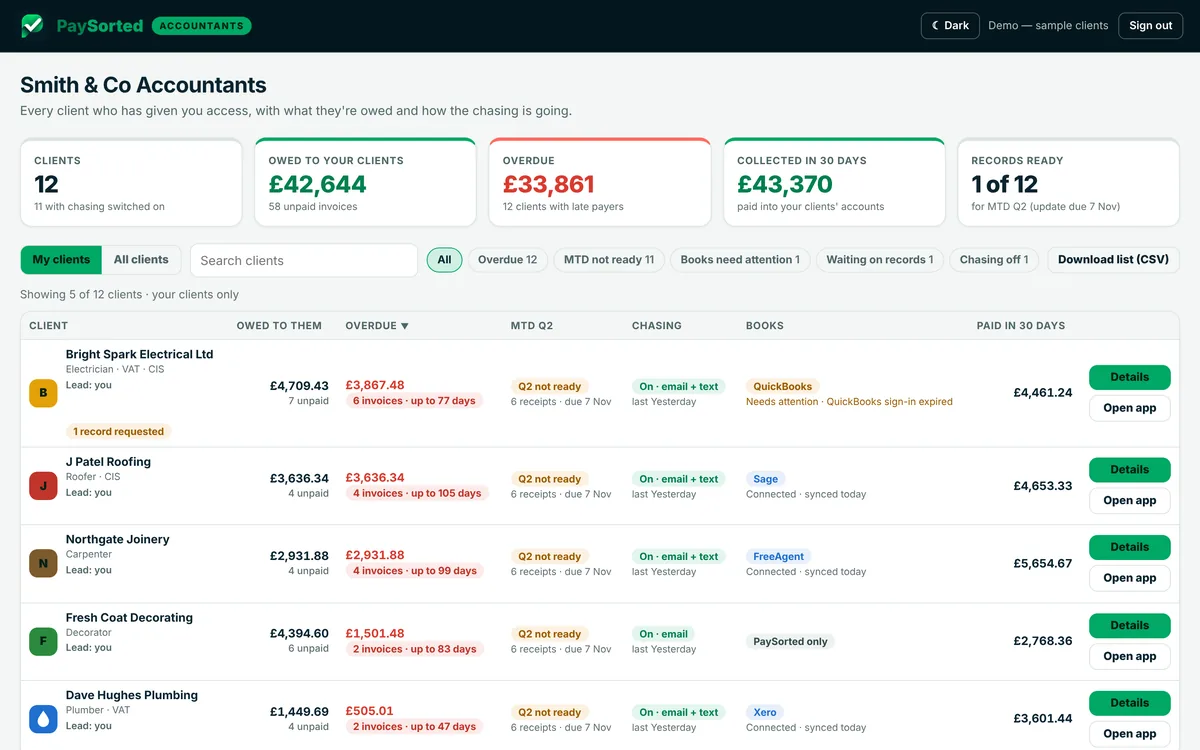
Invite your accountant or bookkeeper and they get their own read-only login at no cost, on every plan. They see what you're owed, your VAT and CIS figures and your quarter totals, and download a tidy pack at year end.
- Free on every plan, and it doesn't use one of your logins
- Read-only, and only with your agreement. You can remove it any time
- Period-end pack, aged debtors, VAT and MTD quarter figures in one download
Pricing
Plans for studios
30 days free with everything switched on. No card needed. No commission on your classes or memberships.
Solo
£8.99/month
- One teacher running their own classes
- Up to 300 members
- Online booking from your timetable
- Memberships, class passes and drop-ins
- Waiting lists and registers
- Card and bank payments
- Free access for your accountant
Club
£16.99/month
- Everything in Solo
- Unlimited members
- Up to 3 logins, for you and your instructors
- Extra logins £4 a month each
Logins are for you and people who teach or work with you. Your accountant's access is free and separate. Compare every plan.
Common questions
Can people book classes online?
Yes. You get a booking page with your timetable. People pick a class and book a place. New people add their name, email and mobile and agree to your terms. Each member gets their own link to see, book and cancel their classes.
What can I sell?
Monthly memberships (unlimited, or a set number of classes a month), class passes such as 5 or 10 classes to use within a few months, and drop-ins for single classes. You set the names and prices.
How do monthly memberships get paid?
The first month is paid by card when someone joins. After that a bill goes out each month with a link to pay by card. You can stop a membership at any time and it runs to the end of the month that's paid for.
What happens when a class is full?
People can join the waiting list. If someone cancels, the first person waiting is booked in and gets an email. You can also move someone in from the waiting list yourself.
What if someone cancels late or doesn't turn up?
You set how many hours before a class people can cancel for free. A late cancellation or no show still counts against their pass or monthly allowance, and a drop-in isn't refunded.
Can my instructors use it?
Yes, on Club and Business. Instructors see the timetable and take the register. They don't see your money screens.
Do you keep health information?
Each member's record has a place for health notes and an emergency contact, which you can see when you take the register. Only you and the people you add can see it.
Will my members see PaySorted?
Hardly at all. Your booking page, bills and payment page show your logo, colour and studio name. Pages carry a small PaySorted link at the bottom.
Do you take a cut of my bookings?
No. You pay a flat monthly plan. There's no commission on classes, memberships or new members. Card payments have the card provider's usual fee.
Does it book courts or rooms by the hour?
No. PaySorted Studios is for classes on a timetable. It doesn't book tennis or padel courts or rooms by the hour.
Teach more, chase less
Free for 30 days. No card, no contract, no commission.