
PaySorted Beauty for hair and beauty
Bookings, deposits and fewer no-shows
Clients book your treatments online and pay a deposit. You keep their patch tests, allergies and colour notes in one place, and reminders go out the day before.
30 days free · no card needed · then from £8.99 a month · no commission

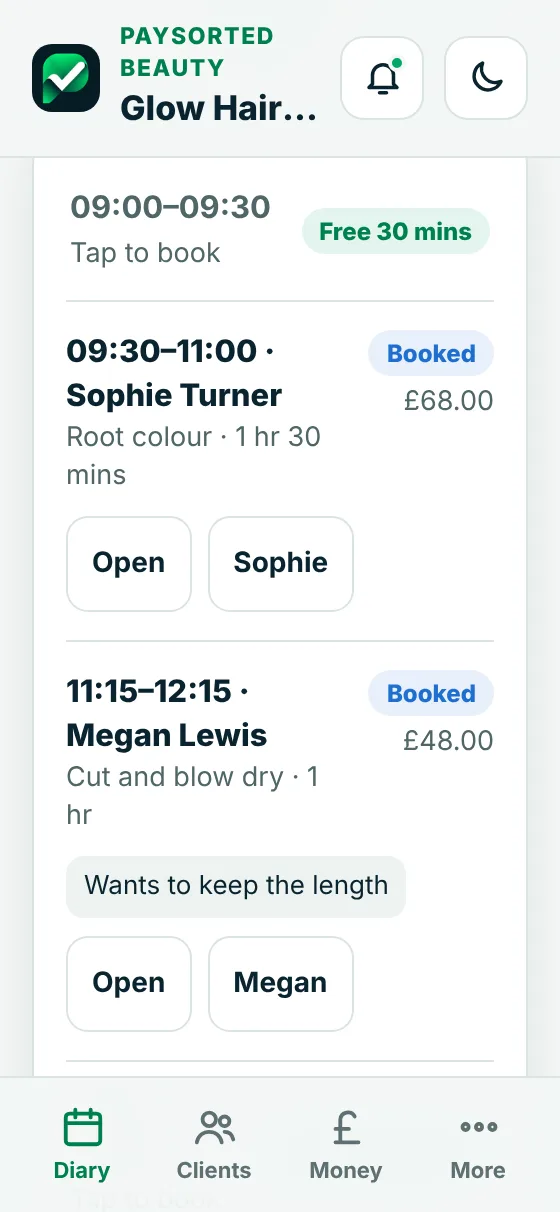
Real screens from the app
Your diary, your clients, paid on the day
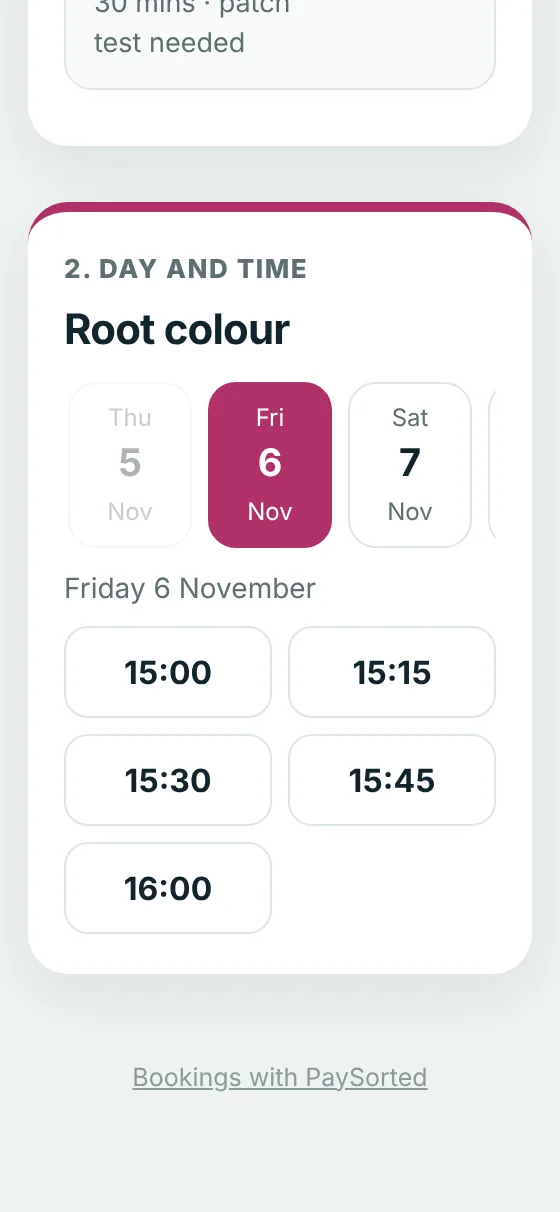
Online booking
Clients book your free times
Share one link in your Instagram bio, Facebook page and Google profile. Clients pick a treatment, a day and a time that fits, and agree to your cancellation policy.
- Deposits paid by card when they book
- Accept each booking, or let them go straight in
- Opening hours, days off and a gap between clients
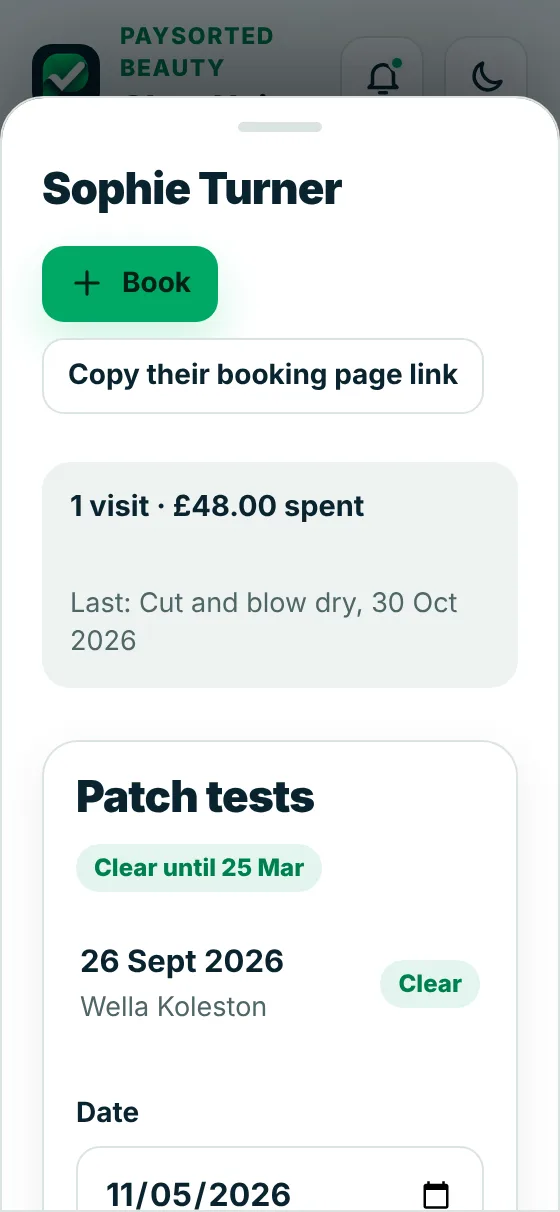
Client records
Patch tests, allergies and formulas
Every client has a record with their visits, what they've spent, their allergies, your colour formula or lash notes, and their patch tests.
- Warns you when a patch test is missing or out of date
- Allergies shown on every appointment
- Birthdays coming up, on the client list
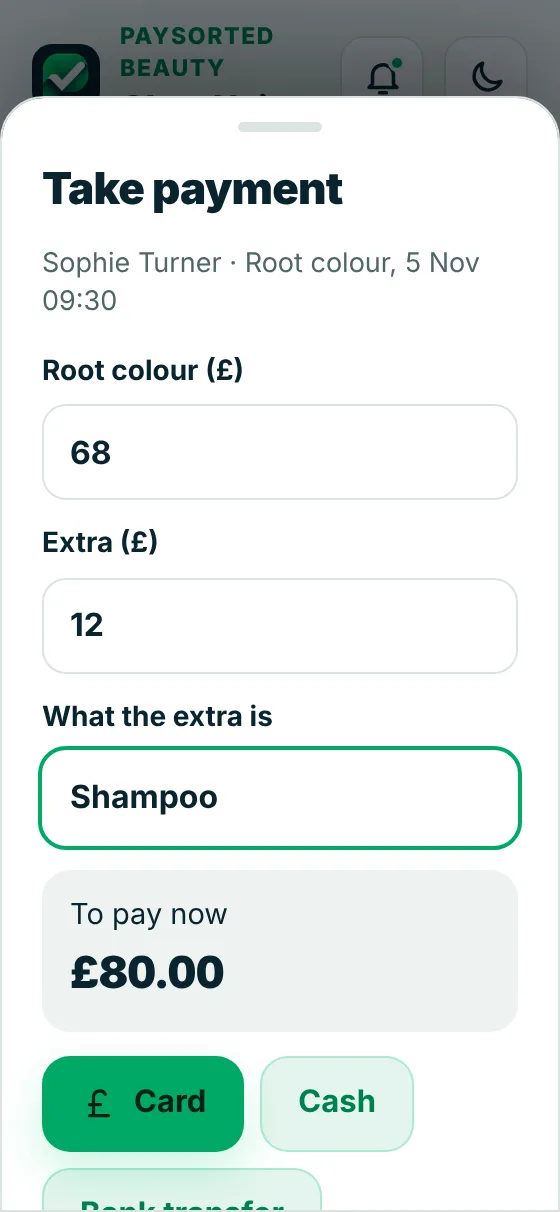
Payments
Take payment, less the deposit
At the end of the appointment, add any products or extras. The deposit comes off and they pay the rest by card, cash or bank transfer.
- Card by QR code on their own phone
- Rebook their next appointment in one tap
- Late cancellation and no-show fees
Fewer gaps, fewer no-shows
Your policy, agreed before they book
Choose your free cancellation window and the fees for late cancellations and no-shows. Clients tick to agree when they book, and the fee is worked out for you, less any deposit.
At 5pm the day before, clients get an email with the time and a link to their bookings. On Club and Business a text goes too.
Your day shows the gaps between appointments. Tap one to fill it, and book regulars every 4, 6 or 8 weeks in one go.
Your brand, not ours
Your customers see your business, not PaySorted
When you first log in, add your logo and pick your colour. Or skip it and do it later in a minute. From then on everything wears your brand.
- Quotes, invoices, receipts and the payment page show your logo, your colour and your business name
- Your online booking page, where clients book and pay deposits, shows your logo and colour
- Emails and reminders come from your business name, and replies go straight to you
- Inside the app too: your logo at the top and your colour on the buttons, for you and anyone who works for you
The only mention of us is a small "Sent with PaySorted" line at the bottom of invoices and emails.
Works with your accounts
Your accounts software stays up to date by itself
Connect once in Settings. New invoices, customers and payments copy across automatically, so nothing is typed twice and your accountant sees the same figures you do.
In PaySorted
- Invoices and credit notes
- Customers and their details
- Payments as they come in
both ways
Your accounts software
Unpaid invoices already in your accounts can be chased too.
Your accountant
- The same figures, no spreadsheets
- VAT, CIS and MTD quarter totals
- Free read-only access, with your OK
Free for your accountant
Your accountant sees it all, free
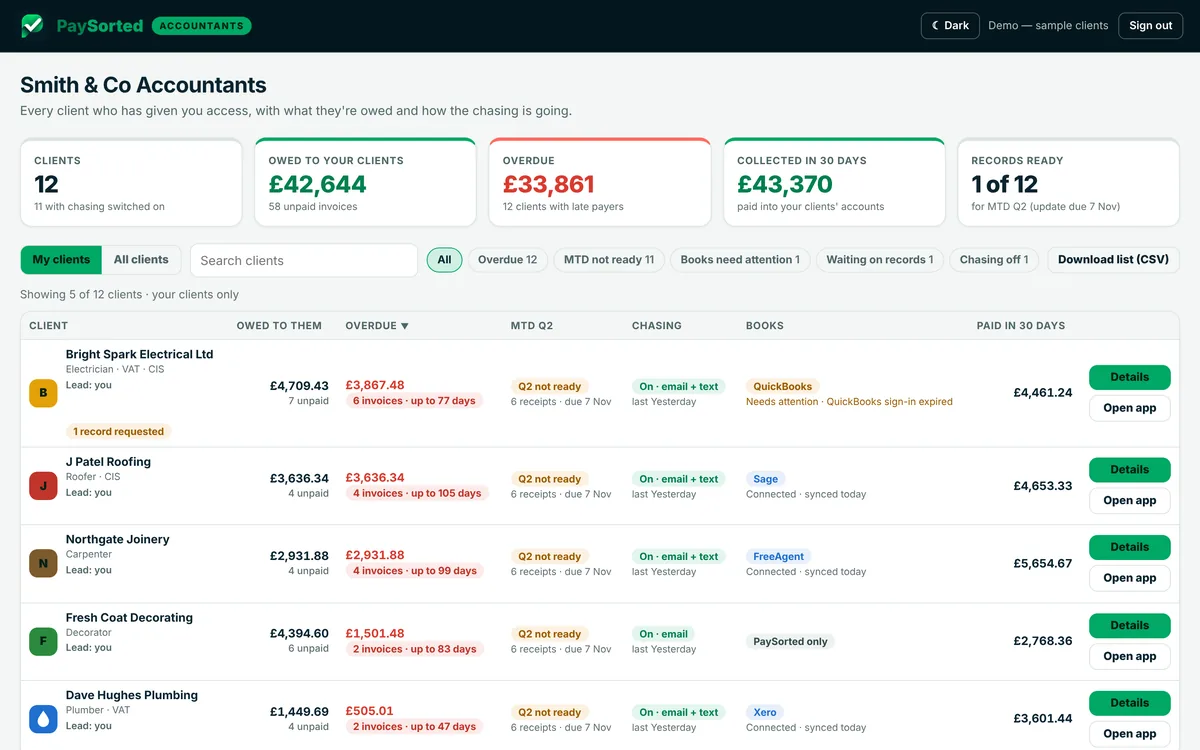
Invite your accountant or bookkeeper and they get their own read-only login at no cost, on every plan. They see what you're owed, your VAT and CIS figures and your quarter totals, and download a tidy pack at year end.
- Free on every plan, and it doesn't use one of your logins
- Read-only, and only with your agreement. You can remove it any time
- Period-end pack, aged debtors, VAT and MTD quarter figures in one download
Pricing
Plans for hair and beauty
30 days free with everything switched on. No card needed. No commission on your bookings.
Solo
£8.99/month
- One stylist or therapist
- Up to 1,000 clients
- Online booking with deposits
- Patch tests, allergies and colour notes
- Automatic reminders by email
- Card and bank payments
- Free access for your accountant
Club
£16.99/month
- Everything in Solo
- Unlimited clients
- 3 logins: each stylist gets their own diary and clients
- Extra logins £4 a month each
- Reminders by text as well as email (100 texts a month)
Business
£39.99/month
- Everything in Club
- 5 logins, extra logins £4 a month each
- Reminders by text as well as email (300 texts a month)
Logins are for you and people who work with you. Your accountant's access is free and separate. Compare every plan.
Common questions
Do clients have to pay a deposit?
Only if you want them to. Set a deposit on any treatment, such as colours or long appointments. When someone books online they pay it by card straight away, and it comes off the price when you take payment on the day.
How do patch tests work?
Mark the treatments that need one: tints, colours, lash lifts and extensions. Each client's record keeps their patch tests with the date, product and result. If someone books one of those treatments without a clear patch test in the last 6 months, the booking comes to you as a request so you can arrange the test first.
What happens if someone doesn't turn up?
Set your cancellation window and fees, for example free cancellation up to 24 hours before, 50% after that and 100% for a no show. Clients agree to it when they book. Mark the appointment as a no show and the fee goes out as a bill, less any deposit they've paid.
Can clients cancel or move their own booking?
Clients get their own link with their bookings on it. They can cancel there, and inside your cancellation window it's recorded as a late cancellation. To move an appointment, they cancel and book a new time, or you move it in your diary and they get a message.
Run a salon with other stylists?
Yes, on Club and Business. Invite each stylist or therapist as a team login. They get their own diary and client list on their own phone, and don't see your takings. You see everyone, each in their own colour, and can switch to one person's diary. Clients can choose who they see when they book online, or pick anyone free. On your own? None of this shows.
Do you send reminders?
Yes, at 5pm the day before, by email, and by text as well on Club and Business. Each reminder has a link to their bookings. You can switch it off.
Is it for salons or mobile workers?
Both. Choose whether you work at a salon or studio, go to clients, or both. Mobile workers can add the area they cover, and the booking page doesn't show a salon address.
Will my clients see PaySorted?
Hardly at all. Your booking page, bills, reminders and payment page show your logo, colour and business name. Pages carry a small PaySorted link at the bottom.
Do you take a cut of my bookings?
No. You pay a flat monthly plan. There's no commission on bookings or on new clients. Card payments have the card provider's usual fee.
Fill your chair, not your evenings
Free for 30 days. No card, no contract, no commission.