
Class booking software for yoga, Pilates and fitness studios
Class booking, memberships and class passes, in one app
Members book from your timetable and pay online for drop-ins, class passes and monthly memberships. Full classes run a waiting list, late cancellations still count, and you take the register on your phone. No commission on anything you sell.
30 days free · no card needed · then from £8.99 a month · no commission

Video · 0:47
Watch a studio day, from timetable to paid
Plays here from YouTube. More videos
Real screens from the app
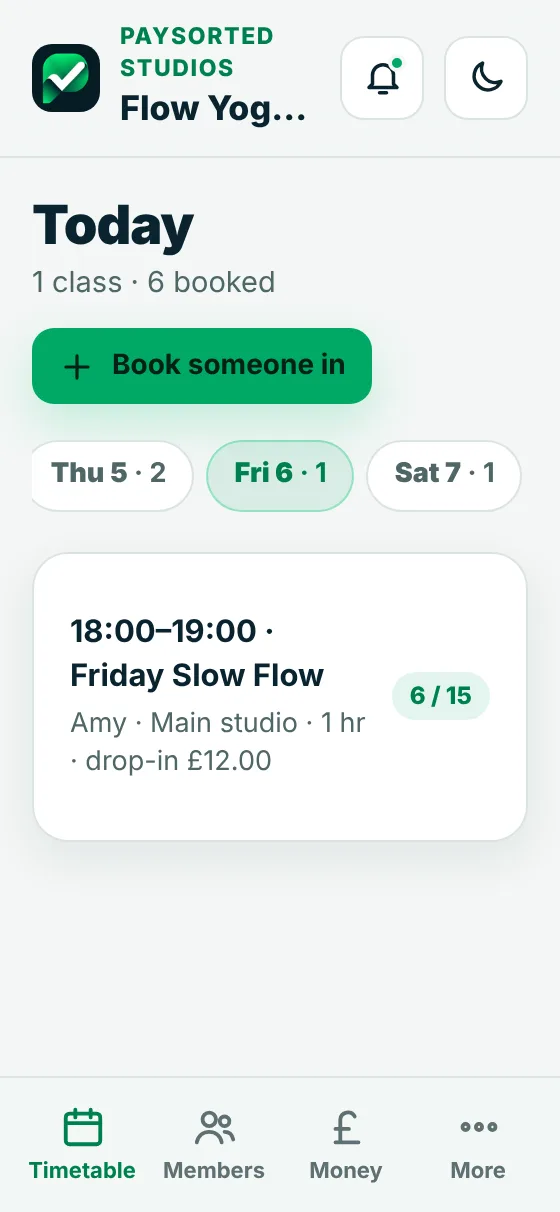
Classes booked, registers taken, money in
Online booking
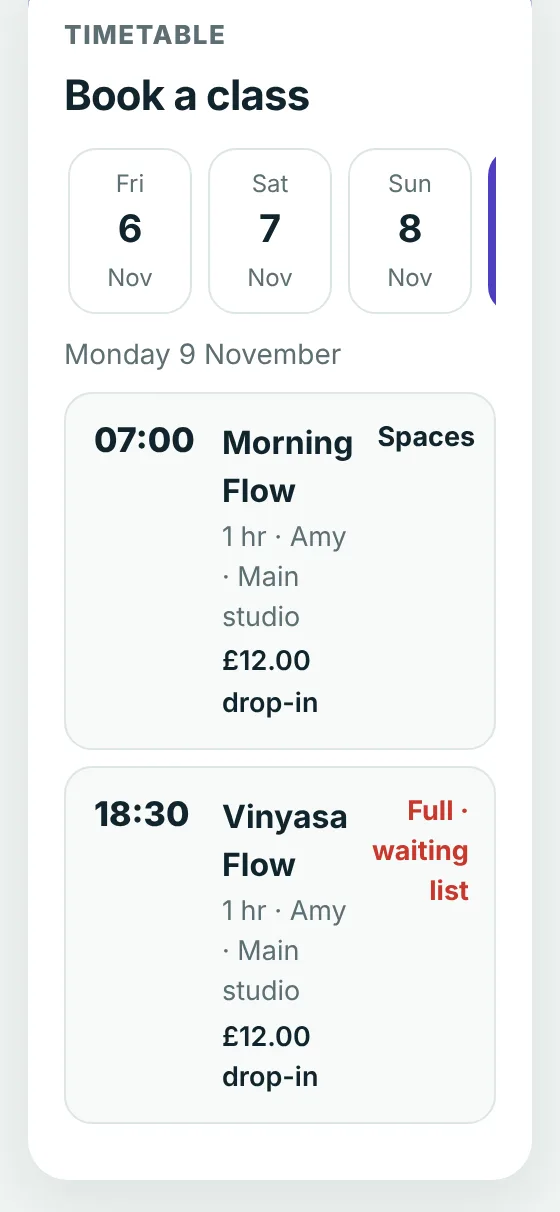
Members book from your timetable
Share one link on your website, Instagram and Google profile. People see the classes for the next couple of weeks, with spaces left, and book a place.
- Drop-ins paid by card when they book
- Memberships and passes used up automatically
- Each member gets their own link to book and cancel
- Your terms ticked before their first class
Registers and waiting lists
Full classes fill themselves
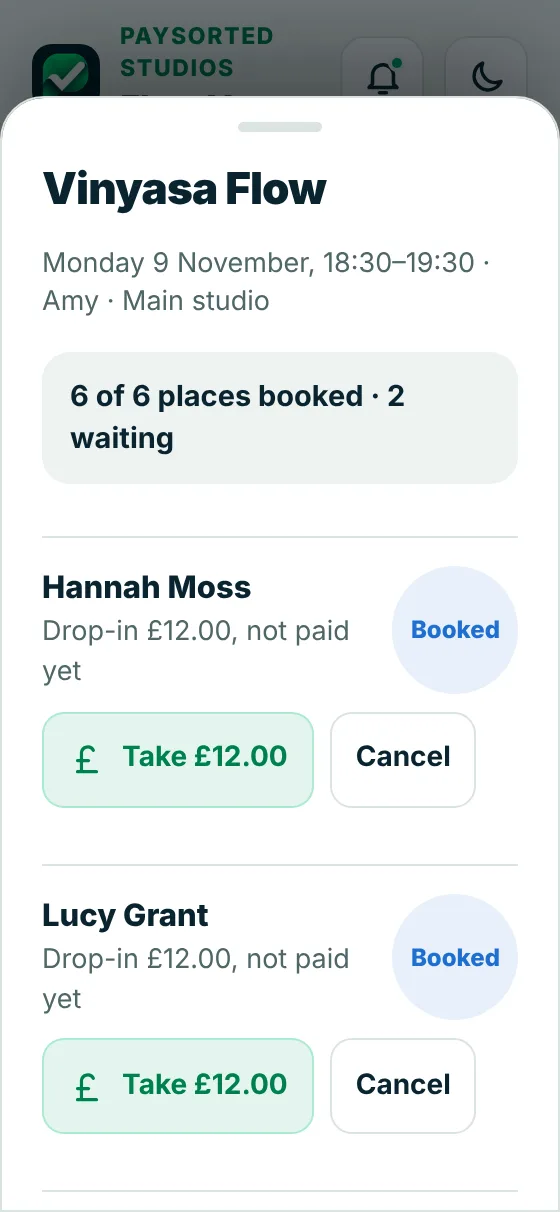
When a class is full, people join the waiting list. If someone cancels, the first person waiting is booked in and emailed. At the class, tap who's here.
- Places booked and waiting at a glance
- Mark here or no show, or everyone at once
- Take a drop-in payment at the door
- Call off a class and everyone booked is told
Members
Memberships, passes and drop-ins
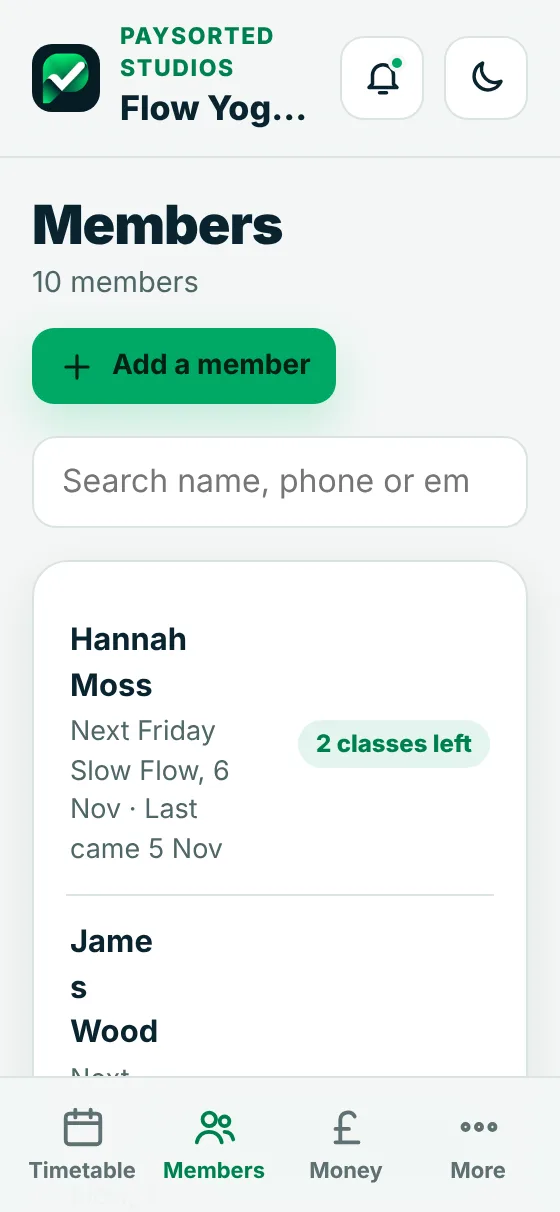
Every member has a record with their membership or pass, classes left, when they last came, health notes and an emergency contact.
- Monthly memberships billed each month
- Class passes with a use-by date
- Sell a pass for cash or card in the studio
- See who hasn't been for a while
Set up in an evening
Your timetable, your rules
Add each class once with its day, time, length, places, price and instructor. Start and end dates, one-off sessions, and days the studio is closed.
Choose how many hours before a class people can cancel for free. Later than that, the class still counts against their pass or allowance.
On Club and Business, instructors log in to see the timetable and take the register. Money stays with you.
More than group classes
Privates, courses and online classes
Put your private slots on your booking page. People book and pay for one, and it shows as taken. Choose whether passes can pay for them.
A 6-week beginners course, for example. People book every week in one go and pay once, and you get the same small group each week.
Add your Zoom, Teams or Meet link. Only people booked on the class see it, on their bookings page and in their reminder.
New members answer a few yes or no health questions when they book. Anything they tell you shows on your register.
For holidays or injury. The next monthly bill, or the pass's use-by date, moves back by the same number of days.
Everyone booked gets a reminder at 5pm the day before, with the join link for online classes and a link to cancel.
Fill your classes
Bring new people in, and keep members coming back
Offers, vouchers and a timetable on your own website, all included on every plan.
Discount codes
Run an offer, like 20% off a first class pass or £5 off a course. Members type the code when they book and the price drops before they pay.
Gift vouchers
Sell vouchers on your booking page or in the studio. Whoever gets one types the code in, and anything left stays on the voucher.
Your timetable on your own website
Paste one line into WordPress, Wix or Squarespace. People book without leaving your site, and it always matches your timetable.
Reports
How full each class is, your no-shows, what came in from memberships, passes and drop-ins, and who has stopped coming.
Intro offers
A first-visit pass, such as 3 classes for £25. One per person, and only for people who haven't been before.
Bring a friend
Members invite a friend to a class from their own bookings page.
Message all members
One message to everyone by email or text, for a timetable change, a new class or a last-minute space.
Your studio, not ours
Your members see your studio, not PaySorted
When you first log in, add your logo and pick your colour. Or skip it and do it later in a minute. From then on everything wears your brand.
- Your booking page, where members book classes and buy passes and memberships, shows your logo and colour
- Payment pages, receipts and monthly membership bills show your studio's name
- Class reminders and emails come from your studio's name, and replies go straight to you
- Inside the app too: your logo at the top and your colour on the buttons, for you and your instructors
The only mention of us is a small "Bookings with PaySorted" line at the bottom.
Works with your accounts
Your accounts software stays up to date by itself
Connect once in Settings. Membership bills, pass sales, drop-in payments and your members copy across automatically, so nothing is typed twice and your accountant sees the same figures you do.
In PaySorted
- Membership bills, passes and drop-ins
- Members and their details
- Payments as they come in
both ways
Your accounts software
Unpaid bills already in your accounts can be chased too.
Your accountant
- The same figures, no spreadsheets
- VAT and MTD quarter totals
- Free read-only access, with your OK
Free for your accountant
Your accountant sees it all, free
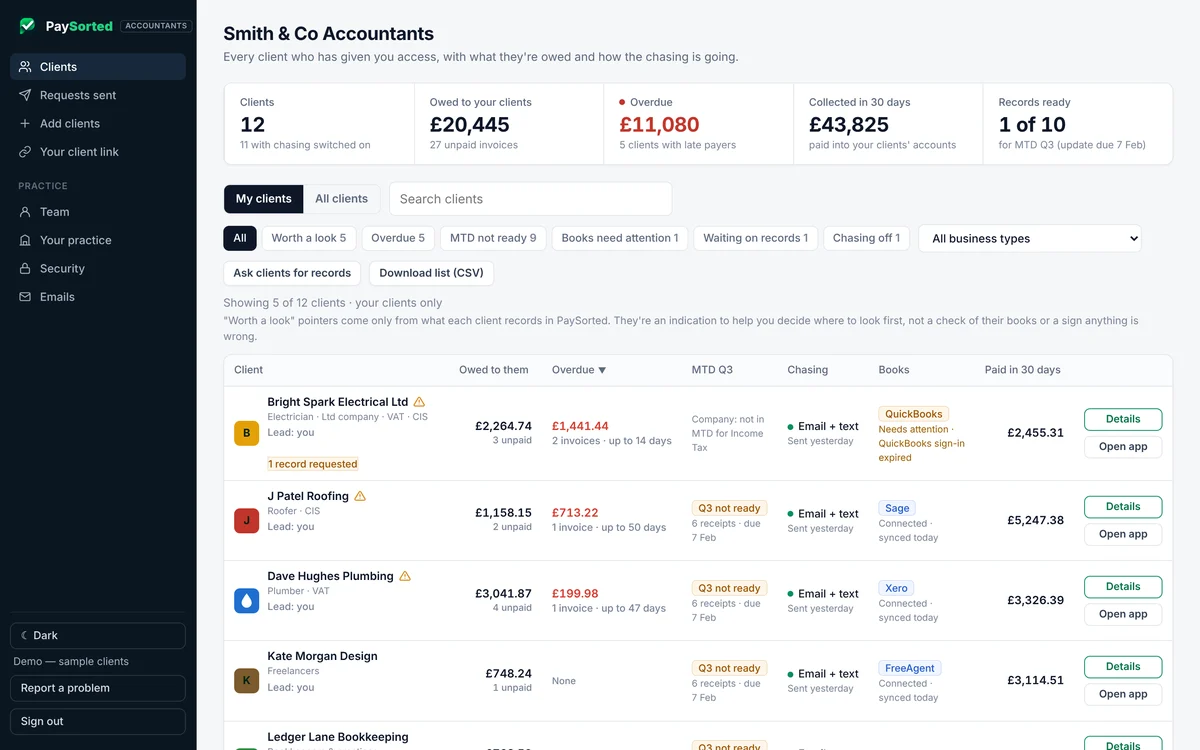
Invite your accountant or bookkeeper and they get their own read-only login at no cost, on every plan. They see what you're owed, your VAT figures and your quarter totals, and download a tidy pack at year end.
- Free on every plan, and it doesn't use one of your logins
- Read-only, and only with your agreement. You can remove it any time
- Period-end pack, who owes you, and VAT and MTD quarter figures in one download
Already using another app?
Bring your members with you
Moving from another app or a spreadsheet? Download your member list and bring it in yourself, or email it to support@paysorted.uk and we'll move your members over for you, free. How to download your list from other apps.
Pricing
Plans for studios
30 days free with everything switched on. No card needed. No commission on your classes or memberships.
Solo
£8.99/month
- One teacher running their own classes
- Up to 300 members
- Online booking from your timetable
- Memberships, class passes and drop-ins
- Waiting lists and registers
- Discount codes, gift vouchers and reports
- Your timetable on your own website
- Card and bank payments
- Free access for your accountant
Club
£16.99/month
- Everything in Solo
- Unlimited members
- Up to 3 logins, for you and your instructors
- Extra logins £4 a month each
Logins are for you and people who teach or work with you. Your accountant's access is free and separate. Compare every plan. Card payments are Stripe's standard rate (1.5% + 20p for a standard UK card) and we add nothing on top.
Common questions
Can people book classes online?
Yes. You get a booking page with your timetable. People pick a class and book a place. New people add their name, email and mobile and agree to your terms. Each member gets their own link to see, book and cancel their classes.
What can I sell?
Monthly memberships (unlimited, or a set number of classes a month), class passes such as 5 or 10 classes to use within a few months, and drop-ins for single classes. You set the names and prices.
How do monthly memberships get paid?
The first month is paid by card when someone joins. After that a bill goes out each month with a link to pay by card. You can stop a membership at any time and it runs to the end of the month that's paid for.
What happens when a class is full?
People can join the waiting list. If someone cancels, the first person waiting is booked in and gets an email. You can also move someone in from the waiting list yourself.
What if someone cancels late or doesn't turn up?
You set how many hours before a class people can cancel for free. A late cancellation or no show still counts against their pass or monthly allowance, and a drop-in isn't refunded.
Can my instructors use it?
Yes, on Club and Business. Instructors see the timetable and take the register. They don't see your money screens.
Can I put my timetable on my own website?
Yes. Copy one line from Online booking and paste it into your website. It works with WordPress, Wix, Squarespace and most website builders. People book without leaving your site, and card payments open in a new tab.
Can I run offers or sell gift vouchers?
Yes. Make a discount code that takes a percentage or an amount off, for everything or just passes, memberships, courses or drop-ins. You can also sell gift vouchers on your booking page or in the studio. A voucher pays towards whatever they book, and anything left stays on it.
Can I see how my classes are doing?
Yes. Reports show how full each class is, your no-shows, what came in from memberships, passes and drop-ins, who has stopped coming and whose pass is about to run out.
Do you keep health information?
Each member's record has a place for health notes and an emergency contact, which you can see when you take the register. Only you and the people you add can see it.
Will my members see PaySorted?
Hardly at all. Your booking page, bills and payment page show your logo, colour and studio name. Pages carry a small PaySorted link at the bottom.
Do you take a cut of my bookings?
No. You pay a flat monthly plan. There's no commission on classes, memberships or new members. Card payments are Stripe's standard rate, 1.5% + 20p for a standard UK card (1.9% + 20p for business and premium cards), and we add nothing on top.
Does it book courts or rooms by the hour?
No. PaySorted Studios is for classes on a timetable. It doesn't book tennis or padel courts or rooms by the hour.
Can I see the app with my own logo and colours before I sign up?
Yes. Open the demo and tap "Try your brand". Add your name, logo and colour and the whole demo changes to match, including what your customers see. You choose whether the app changes fully, just the buttons, or only shows your logo. Nothing is uploaded.
Do I need to download it from an app store?
No. PaySorted runs in your phone's browser and installs to your home screen in a few seconds, like any other app. It opens full screen, sends job alerts, and keeps today's work on your phone if you lose signal.
Teach more, chase less
Free for 30 days. No card, no contract, no commission.
Starting out, or checking your registrations? Our free Education centre has the licences, registrations, training and trade bodies for fitness instructors and studios, plus guides to getting paid.